Category Assignment
Modified on: 2026-02-03 14:53
TABLE OF CONTENTS
- Step 1: Assigning Categories During Source Creation
- Step 2: Bulk Assign Categories
- Step 3: Cross-Source Category Assignment
- Related User Guides:
Step 1: Assigning Categories During Source Creation
- During the source creation process, assign categories to define which content categories the system will collect.
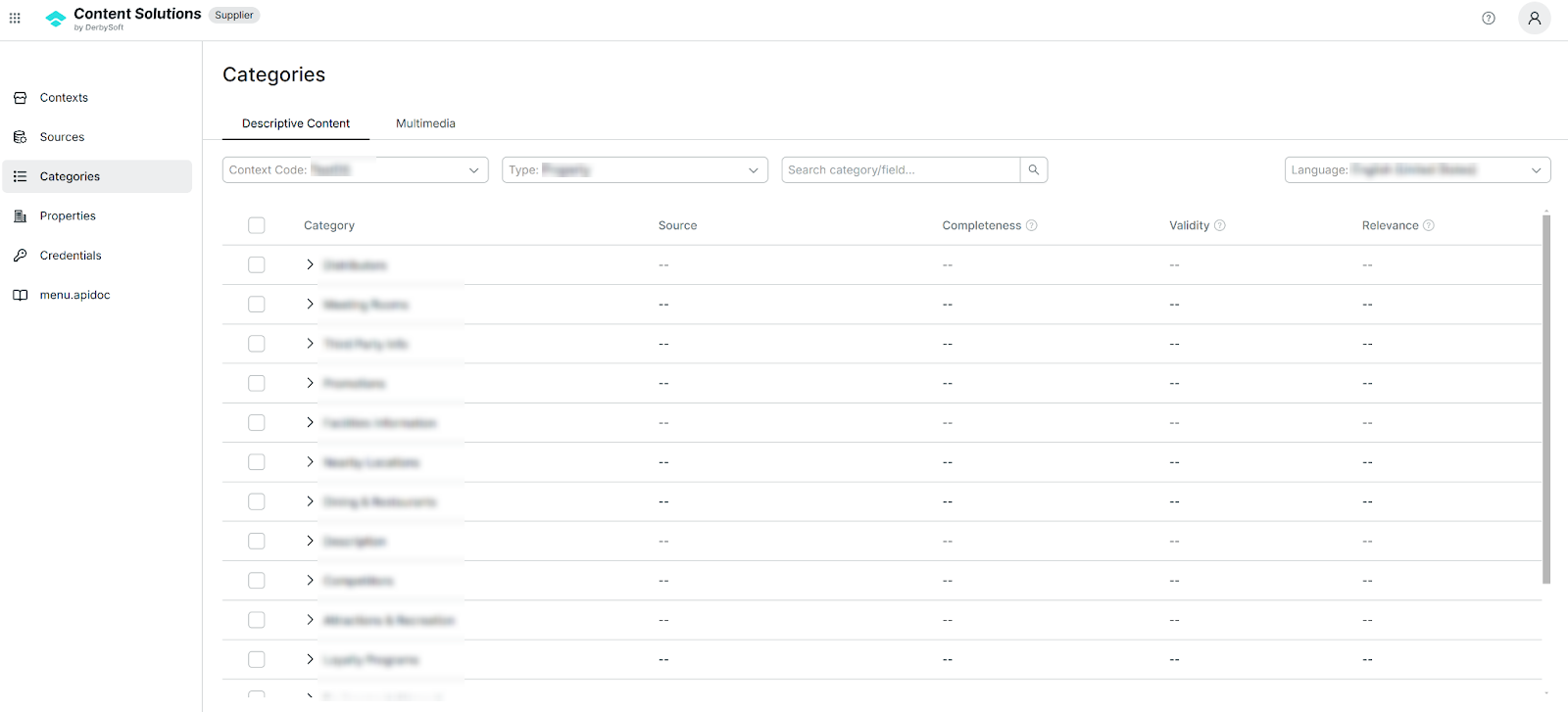
- After the assignment, navigate to Categories to view the assigned categories.
Step 2: Bulk Assign Categories
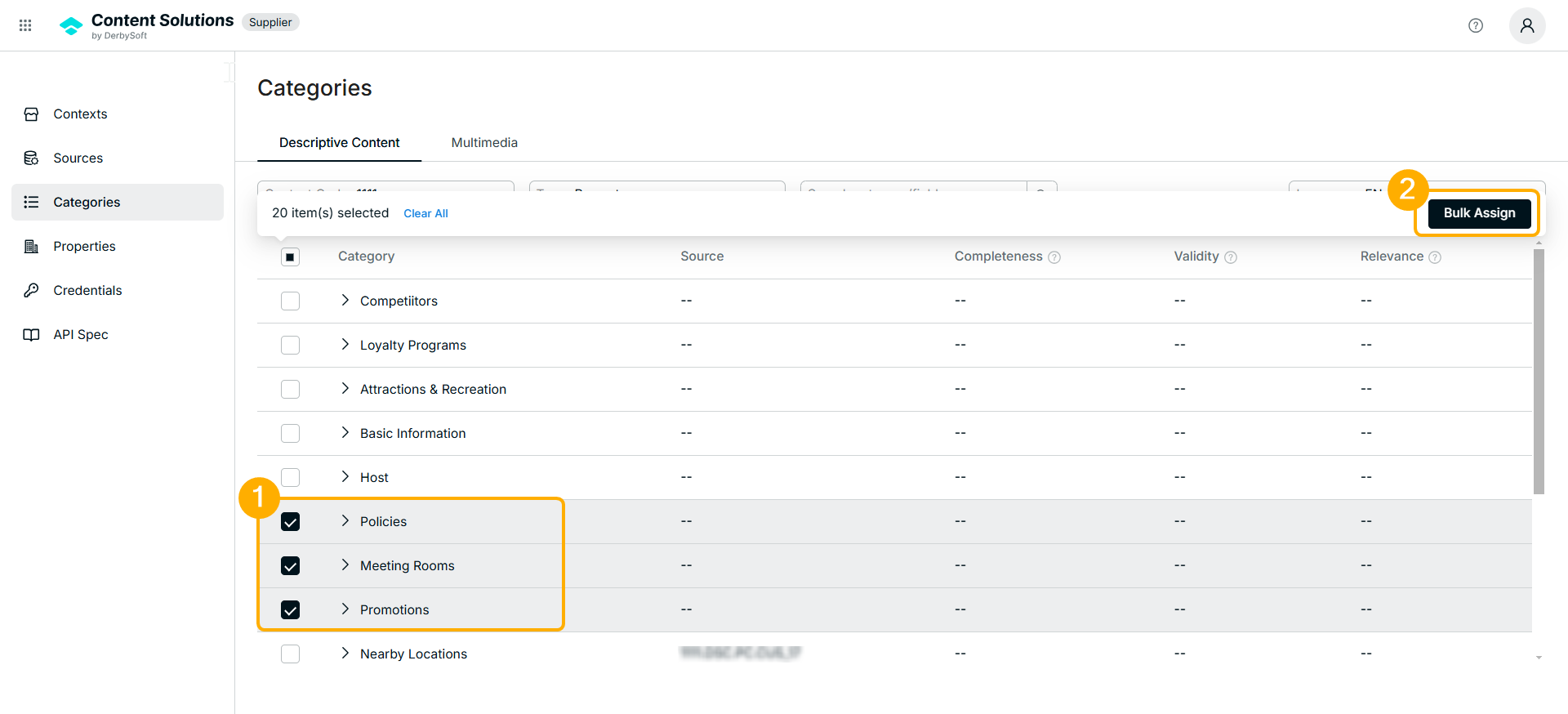
- Select multiple categories using Bulk Assign.
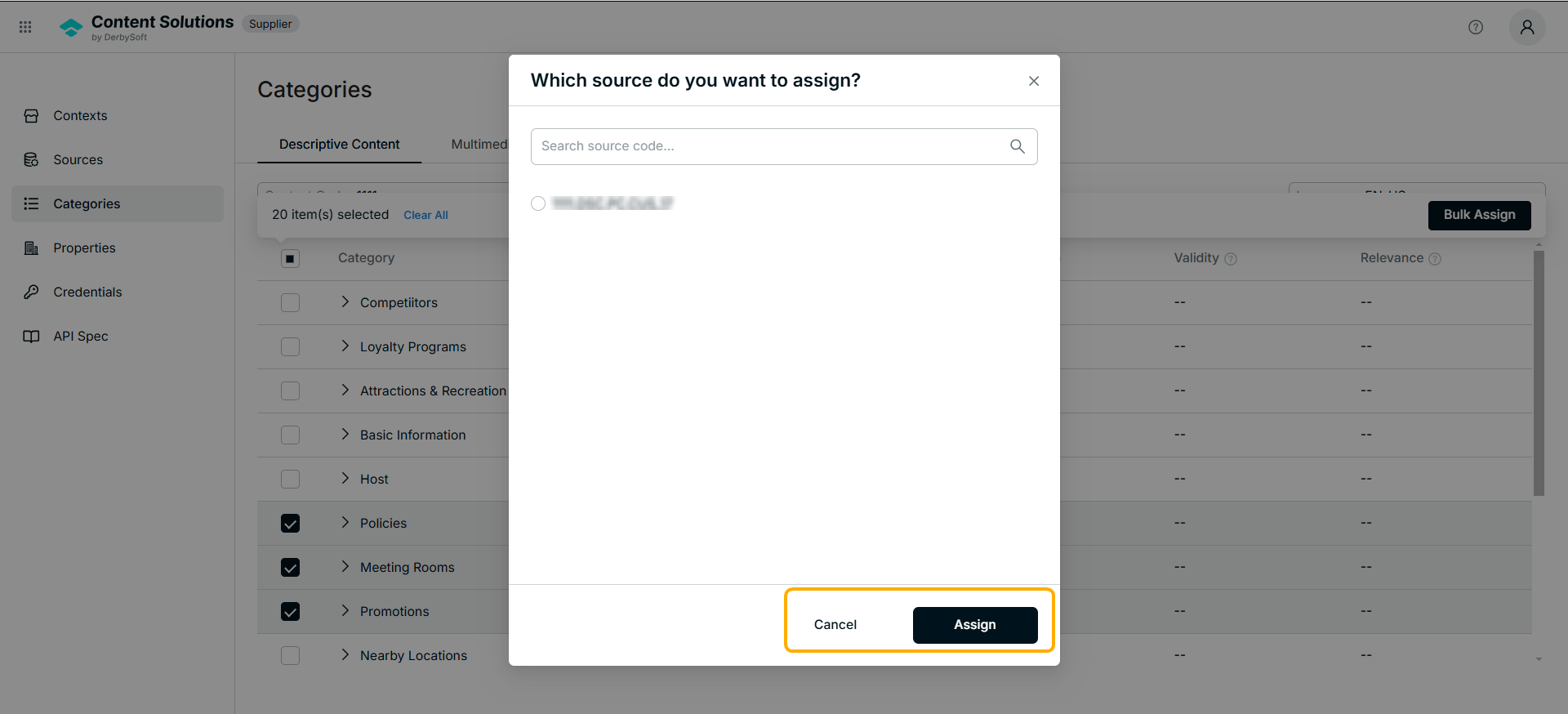
- Choose the desired categories and apply them to the source.
Step 3: Cross-Source Category Assignment
- Categories can be assigned to different sources under the same context.
- If a category is not assigned, the system will not collect data for that category.
Related User Guides:
What is Property
Property Management
What is Context
Context Onboarding Procedures
How to Create a Context
View Existing Contexts
What is a Source
Create a Source
Editing Source Status & Configuration
Credential Management
Did you find it helpful? Yes No
Send feedbackSorry we couldn't be helpful. Help us improve this article with your feedback.