View Existing Contexts
Modified on: 2025-05-15 11:23
TABLE OF CONTENTS
Context Lists
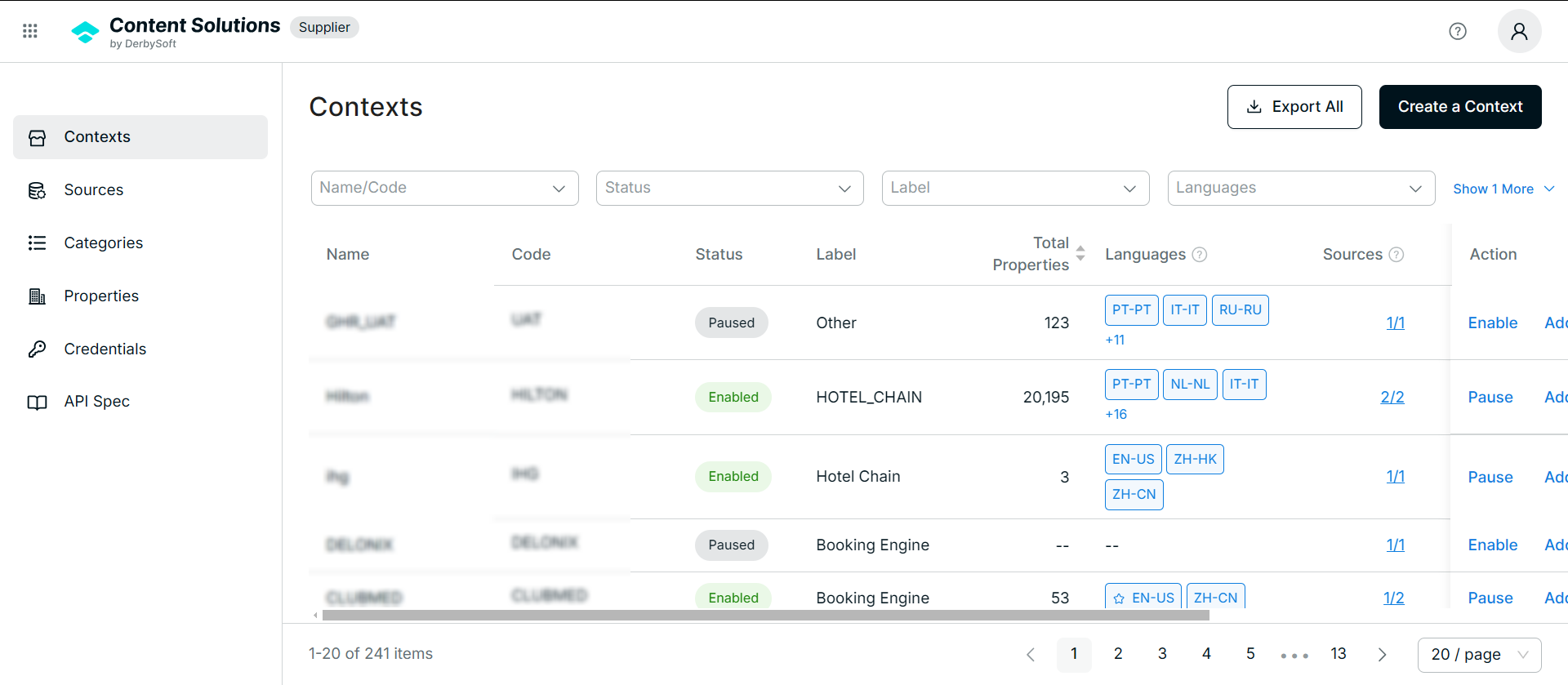
| List Name | Description |
|---|---|
| Name | |
| Code | The unique identifier of a context. |
| Status | Indicates whether the data is ready to use (At least the primary source is enabled and enabled property number >1). |
| Label | supporting future data analysis. |
| Total Properties | property number under this context. |
| Language | The default language is highlighted by a star. |
| Sources | The number of enabled sources out of the total sources in this context. Hover to see the list of enabled sources used in this context. |
| Text Score | (Not supported yet)The text score in the primary language lists out the issue summary of the properties. |
| Last Updated | The last updated time of the context settings.Such as changing the status of the context. |
| Last Data Refresh | The last refresh time of the context content data. |
| Action |
|
Enable a Context
Once a context is created, the default status is Paused.
Activation Requirements
- At Least One Source Exists:
- You cannot enable a Context without a Source.
- If no Source exists, create a new Source within the Context.
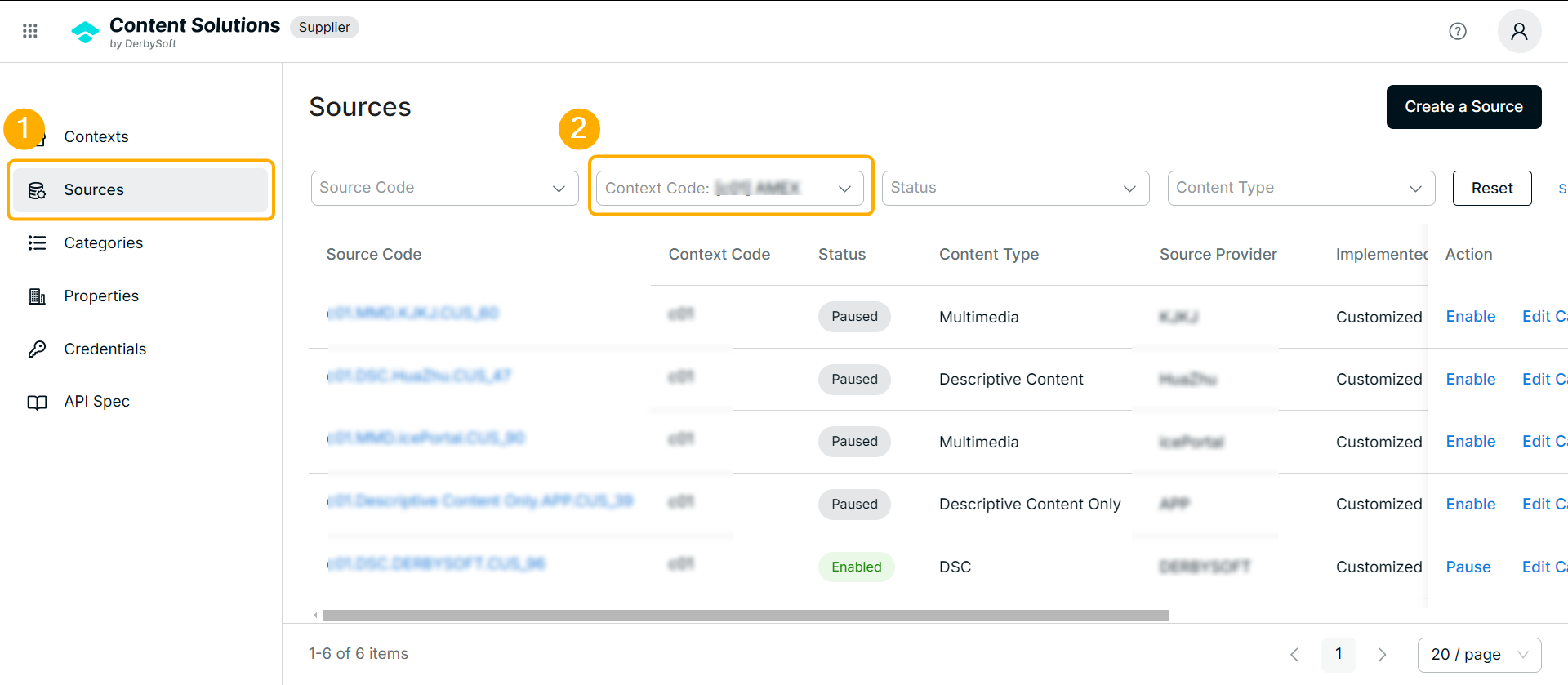
- Enabled Source Required:
- The Context must contain at least one ENABLED Source.
- To meet this requirement:
- Create and enable a new Source, or
- Reactivate a previously paused Source within the Context.
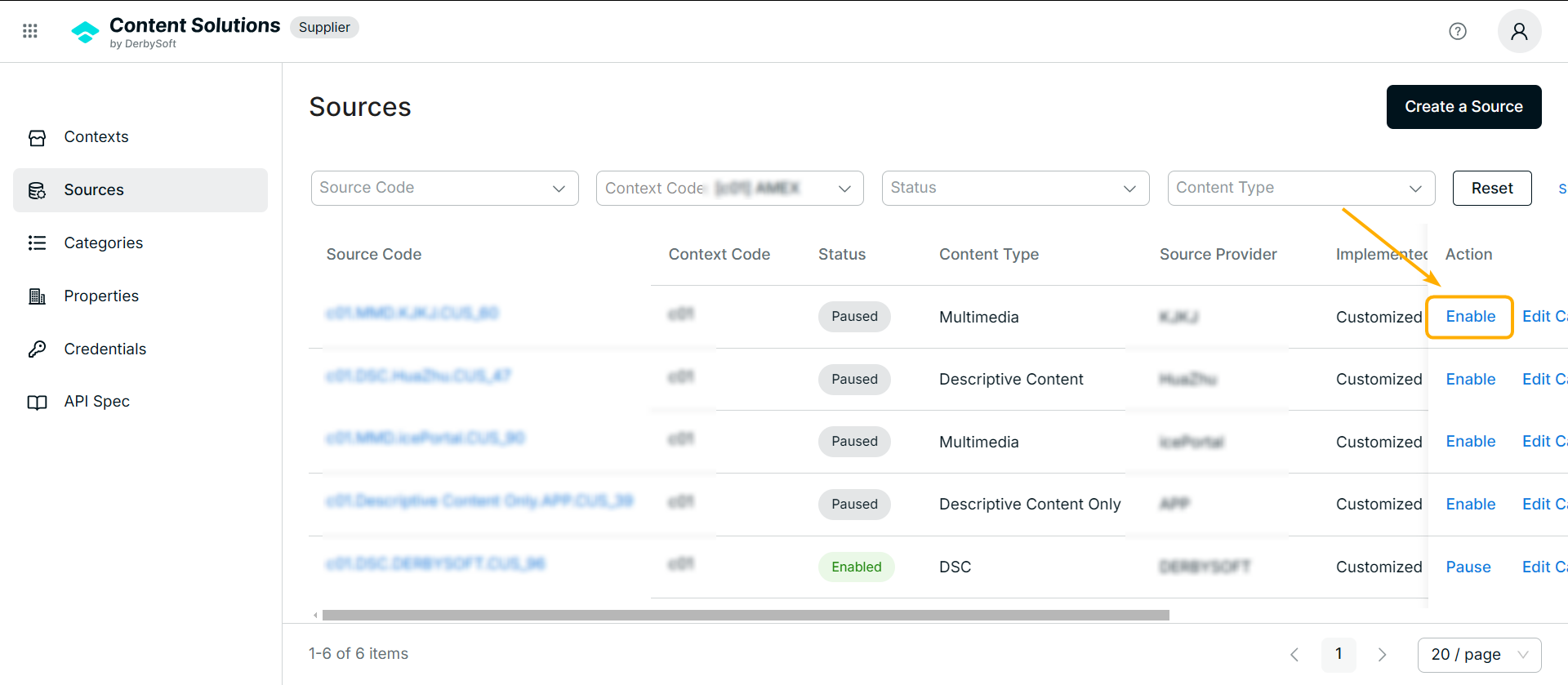
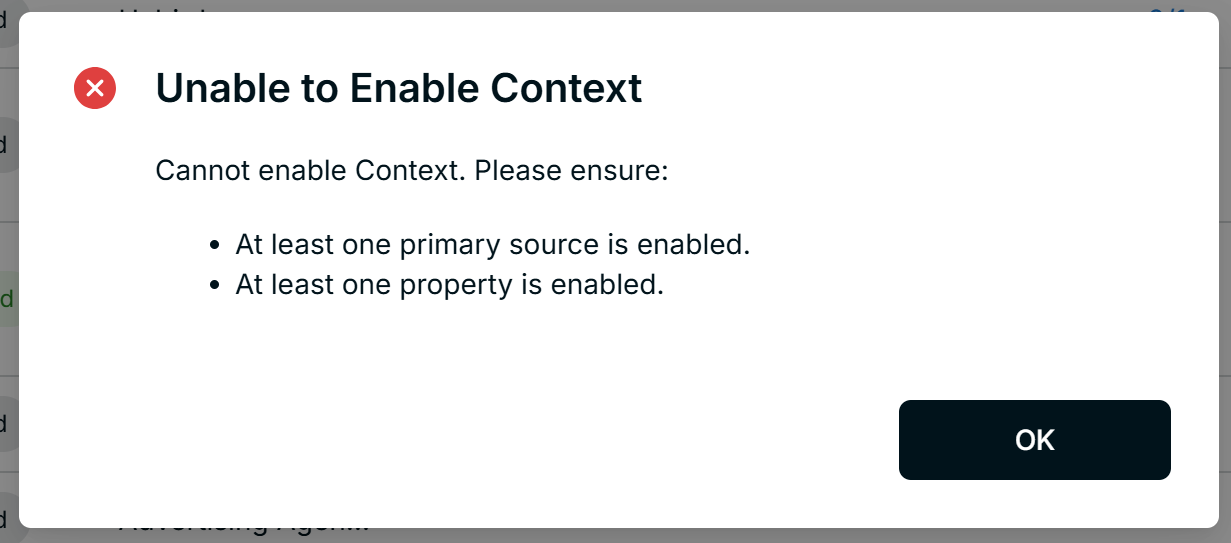
- Enabled Properties under Source:
- The Context and its Source must have at least one ENABLED Property.
- To ensure this:
- Create Properties via API/FTP.
- Verify the data status on the Properties page before enabling the Context.
Related User Guides:
What is Property
Property Management
What is Context
Context Onboarding Procedures
How to Create a Context
What is Source
Create a Source
Editing Source Status & Configuration
Category Assignment
Credential Management
Did you find it helpful? Yes No
Send feedbackSorry we couldn't be helpful. Help us improve this article with your feedback.