Credential Management
Modified on: 2026-02-03 14:54
TABLE OF CONTENTS
Generating and Managing API Credentials for API Users
To integrate with the Content API, you need to generate and manage API credentials. Follow the steps below to ensure proper setup and avoid access management issues.
Generate New API Credentials
- Navigate to Credentials
- Go to the Credentials section of the platform.
- Create a New Credential
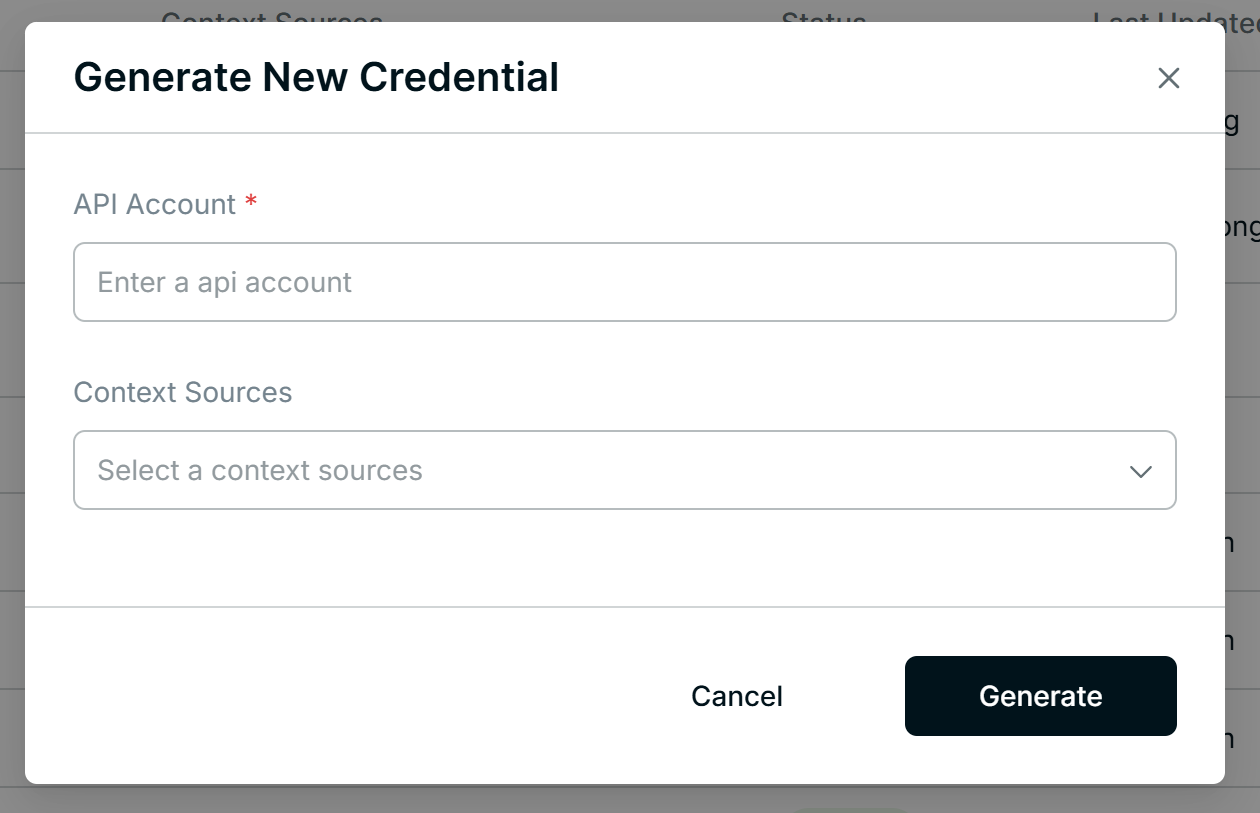
- Click Generate New.
- Configure Credential Details
- API Account: Assign a unique identifier for the credential account.
- Context Sources:
- You can link one credential to multiple sources.
- However, avoid assigning the same credentials to multiple sources under the same context to maintain secure access management.
View and Use the API Key
- Access API Key: Once created, view the API Key in the account list.
- API Key Format: The key combines username and password in the format: Usernametest123:passwordtest456
- Authentication Method:
- Use Base64 encoding for the API Key.
- Send the encoded token as part of the API request header using Basic Authentication.
Edit and Manage API Credentials
Step 1: Edit Assigned Context Sources
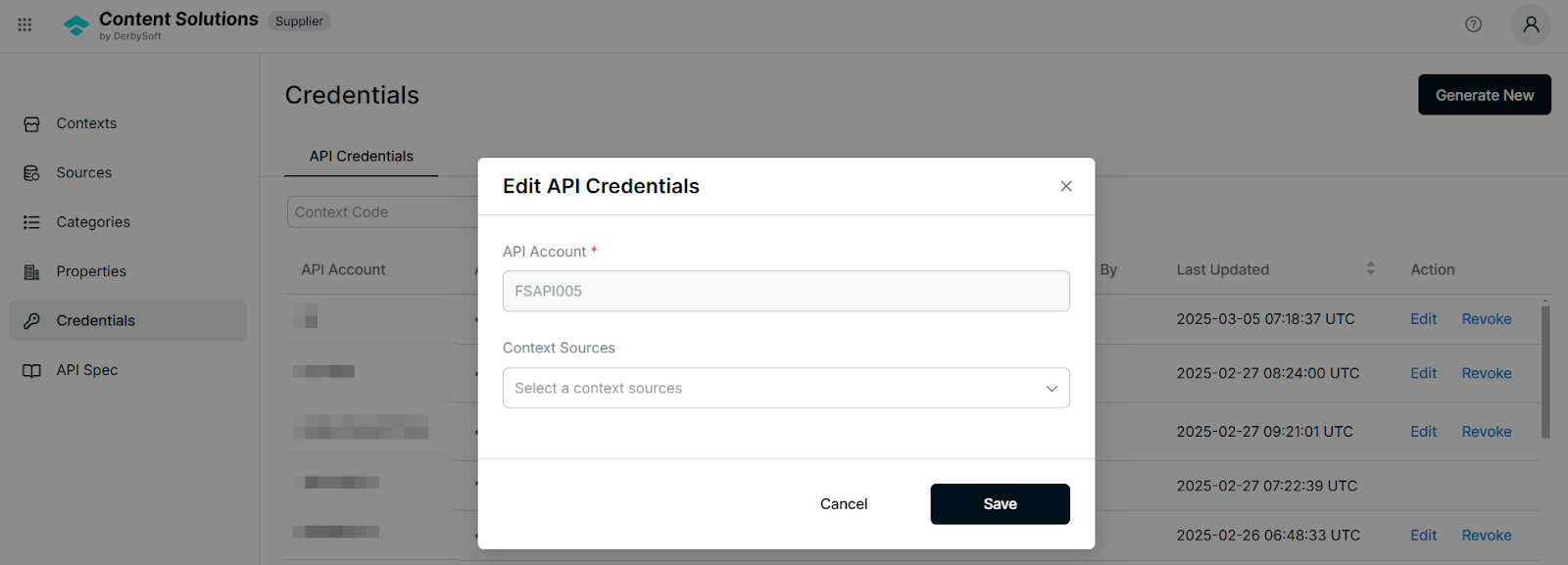
- Action > Edit > Context Sources:
- Update the associated sources as needed.
- Important: One credential cannot be assigned to multiple sources under the same context.
Step 2: Revoke Credentials
- Action > Revoke:
- When revoking credentials, note that revoked credentials cannot be reactivated.
- Create new credentials if needed instead of attempting to restore revoked ones.
Related User Guides:
What is Property
Property Management
What is Context
Context Onboarding Procedures
How to Create a Context
View Existing Contexts
What is Source
Create a Source
Editing Source Status & Configuration
Category Assignment
Did you find it helpful? Yes No
Send feedbackSorry we couldn't be helpful. Help us improve this article with your feedback.