Multimedia Irrelevant Images Score
Modified on: 2026-03-05 15:03
TABLE OF CONTENTS
- Introduction
- What is the Irrelevant Images Score?
- How to Check Irrelevant Images and AI-suggested Categories
- Related Articles:
Introduction
This guide explains how to view Irrelevant Images Scores and AI-suggested Categories to help suppliers improve the accuracy of their image categorization.
What is the Irrelevant Images Score?
The Irrelevant Images Score is a percentage displayed for each image category. It represents how well the images assigned to that category match the category itself.
- A higher score (closer to 100%) indicates a better match (less irrelevant images).
- A lower score indicates more images are deemed irrelevant to the category.
How to Check Irrelevant Images and AI-suggested Categories
Step 1. View Scores
- Navigate to: Categories -> Multimedia
- Select your supplier.
- The Irrelevant Images Score will be displayed as a percentage in the tab for each category.
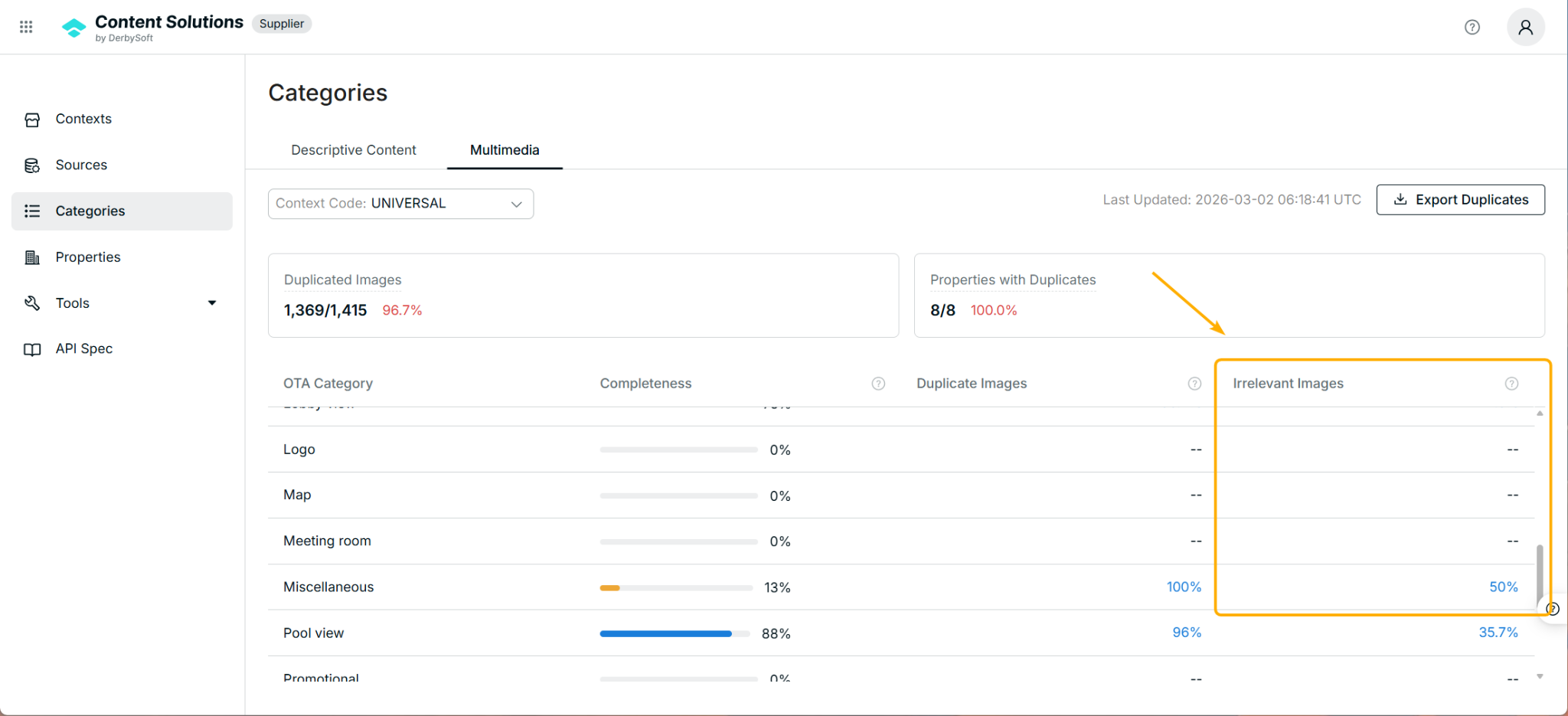
Note:
Currently, this score is only available for UNIVERSAL images.
Step 2. Check Irrelevant Images and Recommendations
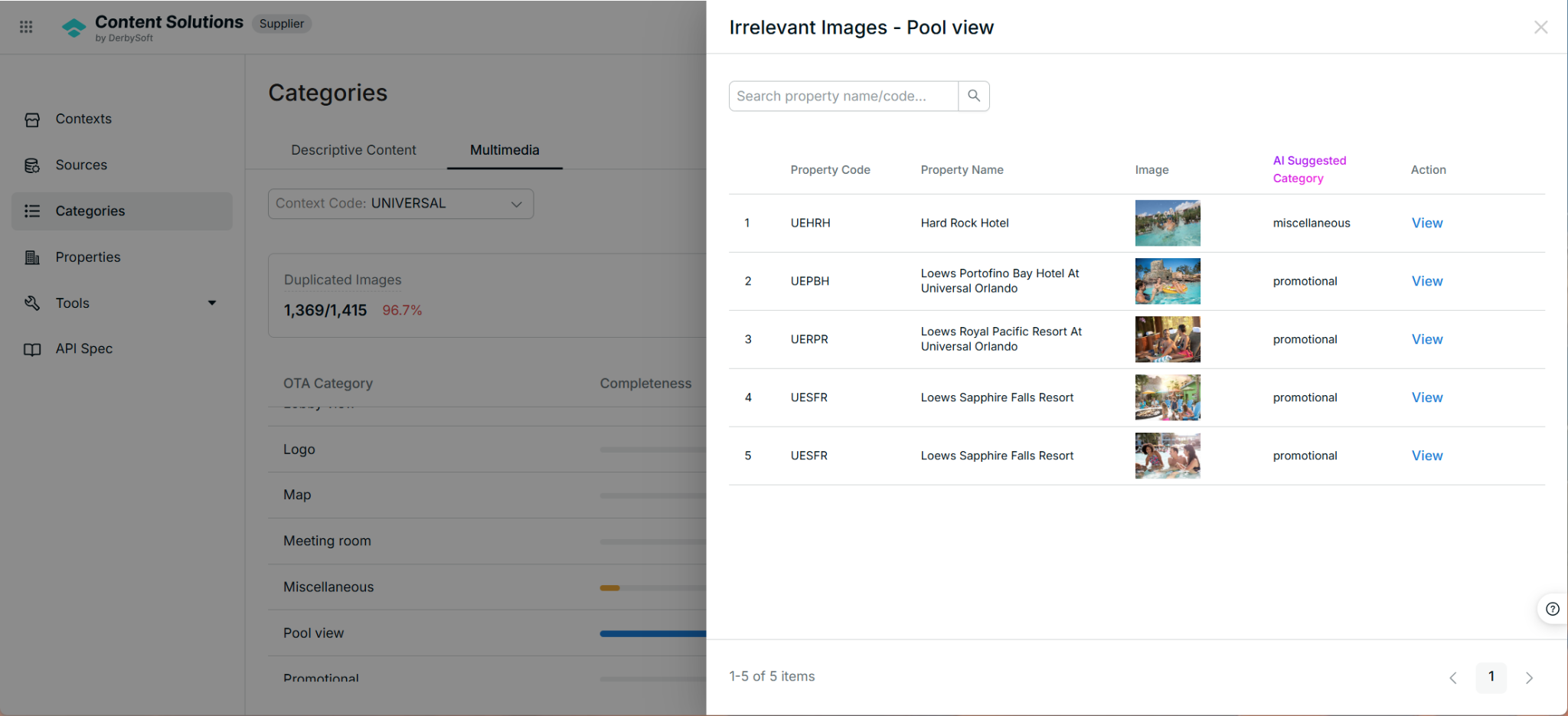
- Click the percentage score in the category tab.
- A gallery will open, listing the images that the AI has identified as not belonging to the current category.
- The gallery will also show the AI's recommended category for each irrelevant image.
Step 3. View Image Details
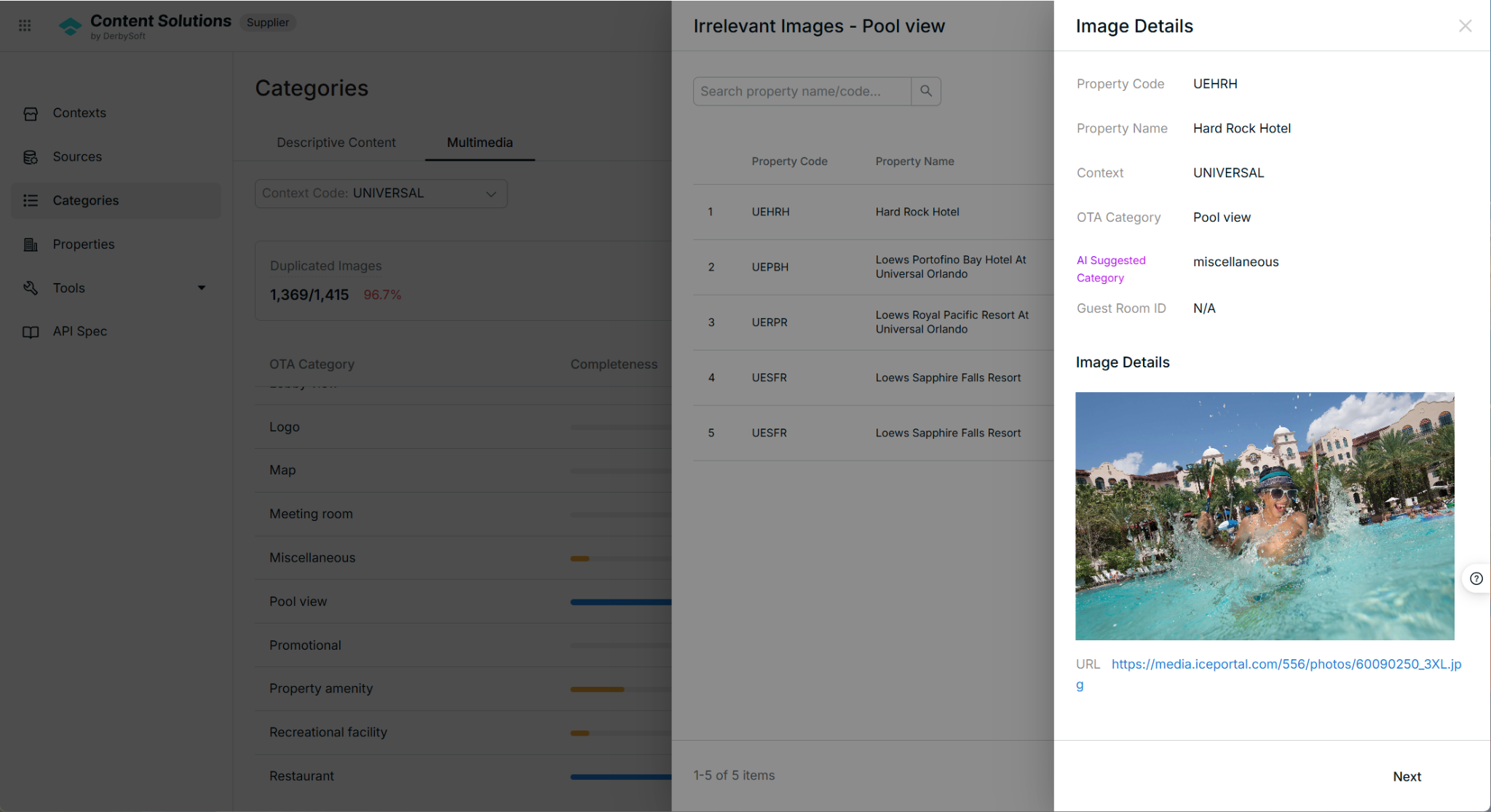
- Click View within the image gallery for a specific image.
- You can then check the image details, including a larger view of the image and its URL.
Related Articles:
For assistance or to submit questions, please email us at product.content@derbysoft.net.
Did you find it helpful? Yes No
Send feedbackSorry we couldn't be helpful. Help us improve this article with your feedback.