[2025 June Release] Users can view text scores for contexts
Modified on: 2025-06-09 10:31
Today, we are excited to share our recent achievements with you:
In this release:
- Users can view text scores for contexts
- Users can check quality scores for properties
- Users can check quality scores for categories
- Users can view multimedia category score
- Users can export duplicates detials
- Users can view details of duplicated images
 What‘s new
- Users can view text scores for contexts
The Text Score—reflecting the overall quality of text content in a context’s primary language—is now visible on the Contexts page.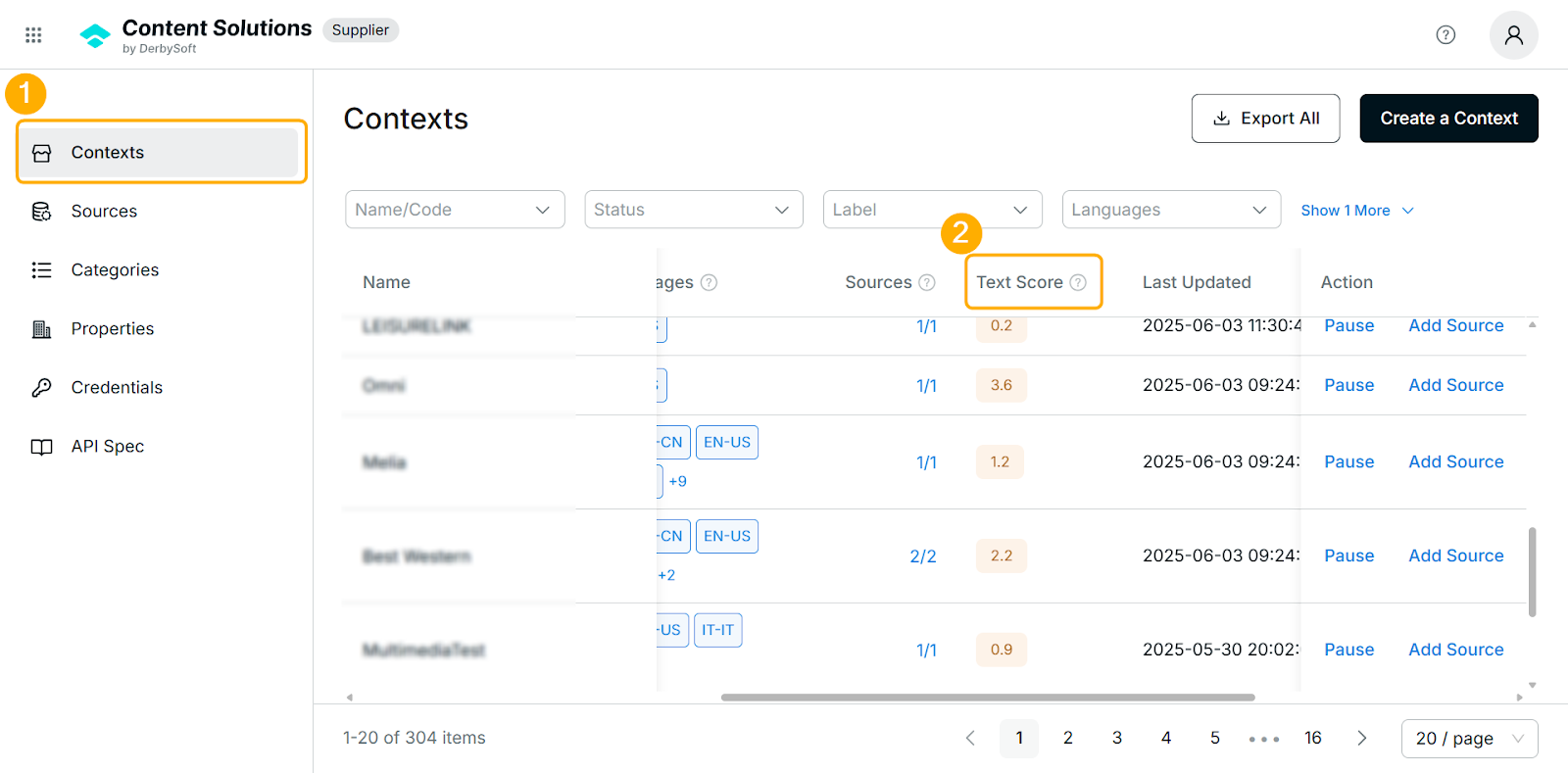
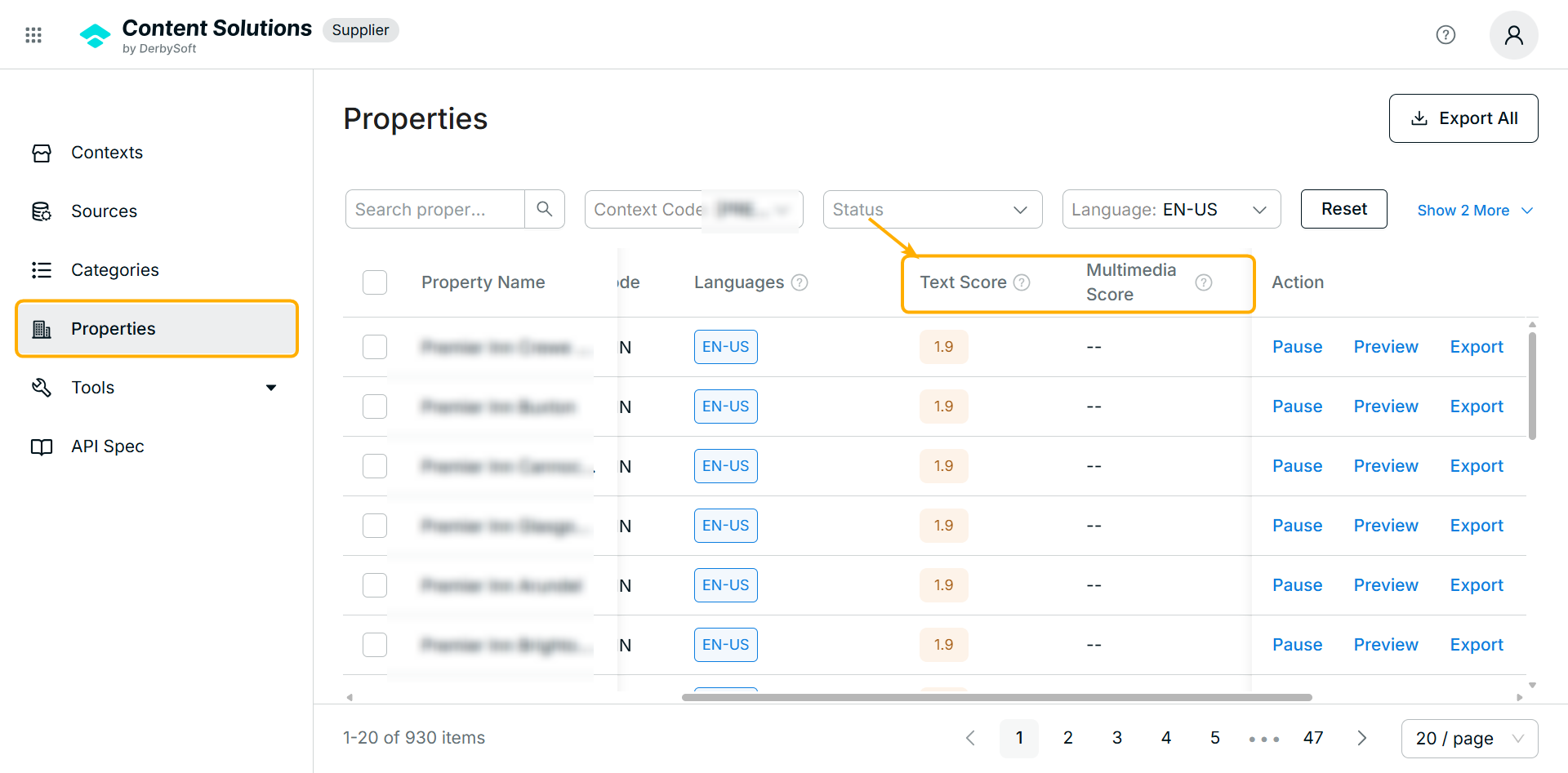
- Users can check quality scores for properties
The Properties page now displays two scores:- Text score: Represents the quality of descriptive content, based on completeness, and relevance.
- Multimedia score: Reflects the quality of multimedia assets, including image completeness, and duplication.
- Users can check quality scores for categories
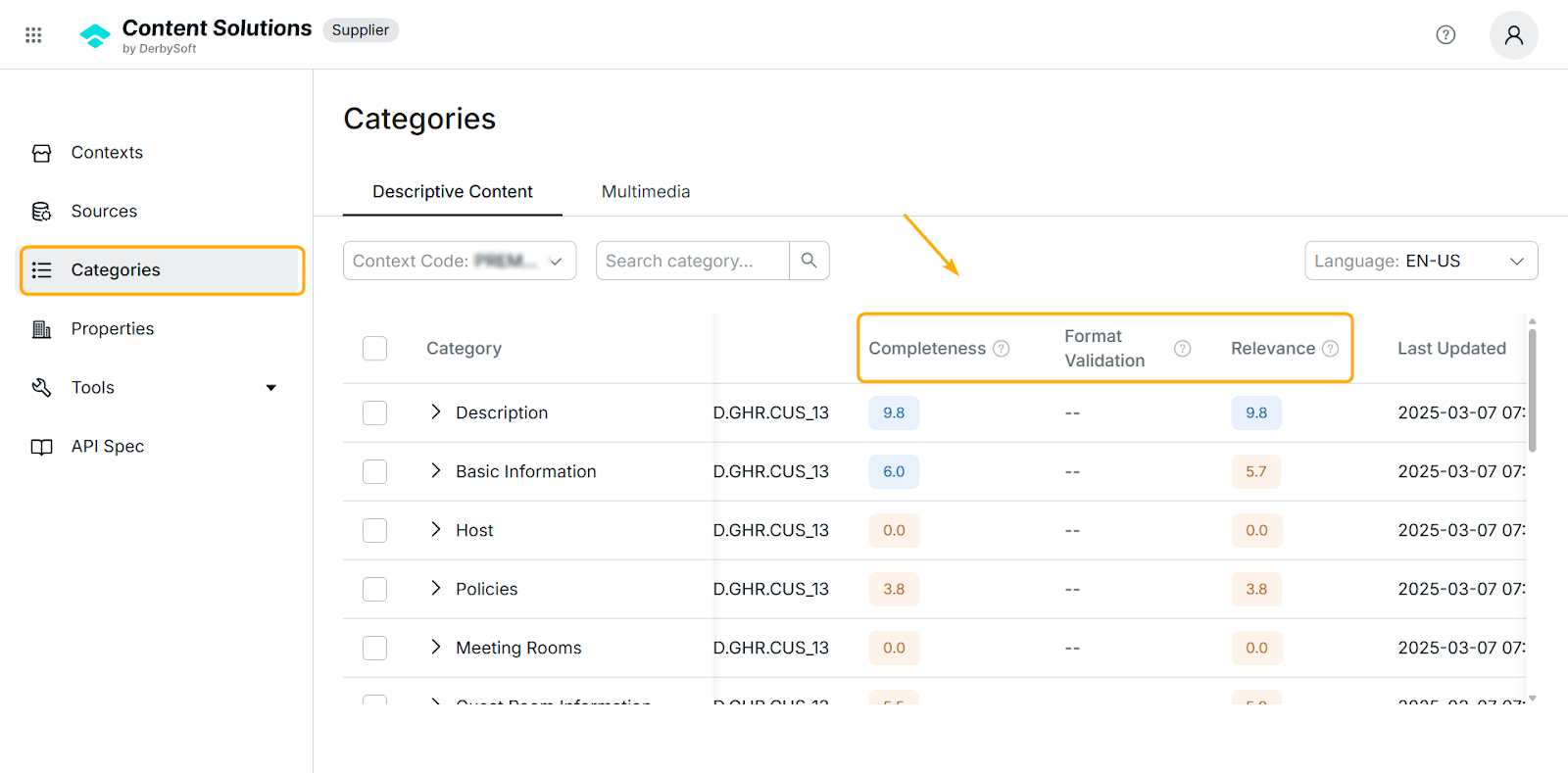
Users can view the following granular scores (scale 1–10, one decimal place) for enabled contexts under each category on Categories page:- Completeness: A score that measures how complete the property category is in regards to descriptive content information.
- Format Validation: A score that checks how accurate of the text format the category is in regards to descriptive content information.
- Relevance: A score that evaluates how well the text fits the property and its category in regards to descriptive content information.
- Users can view multimedia category score
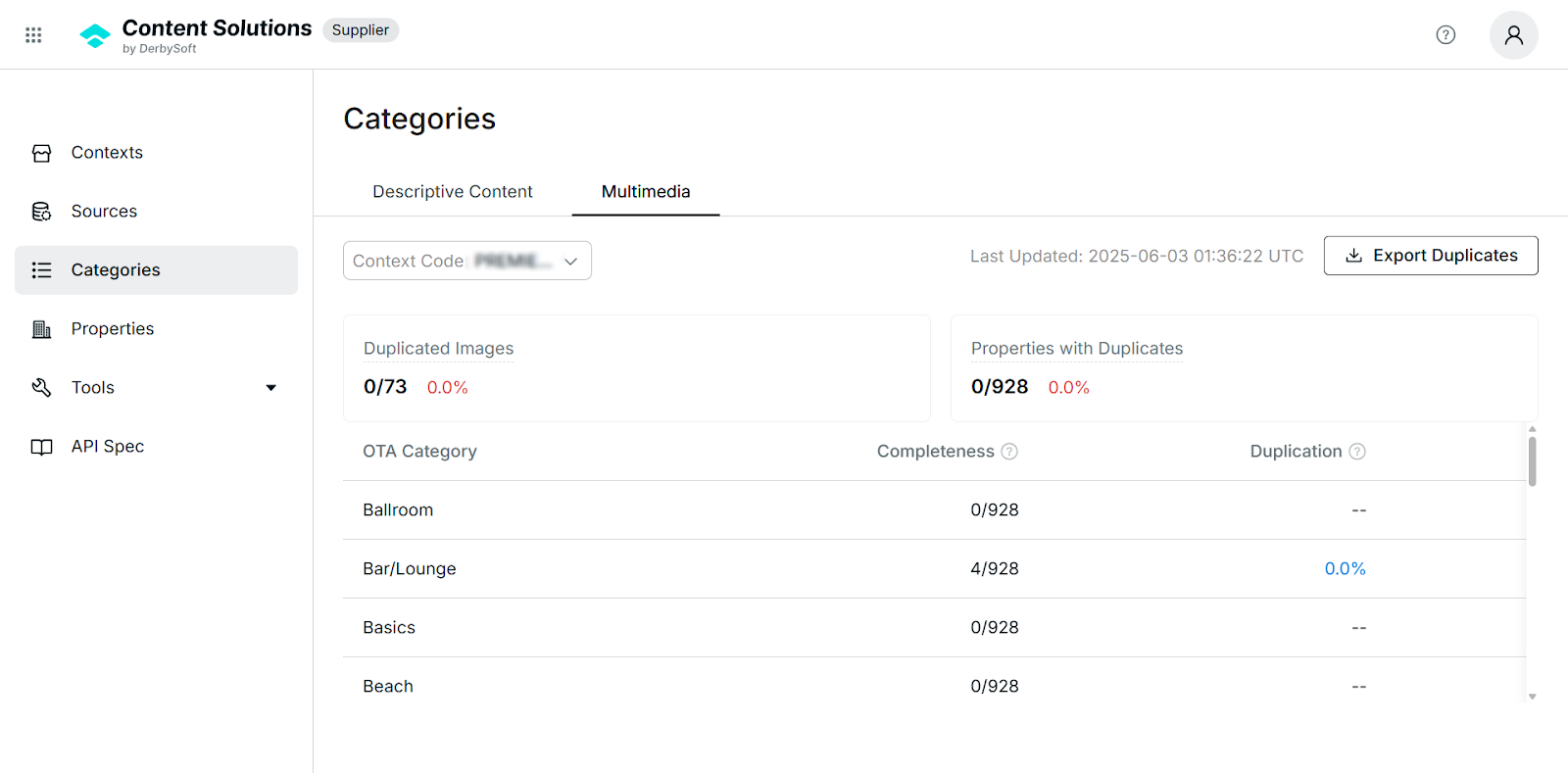
Users are able to check Completeness and Duplication scores for each category.- Completeness: A score that measures how complete the OTA category is in regards to images.
- Duplication: Percentage of images detected as duplicates within this category.
- Users can export duplicates detials
Support users to export detailed lists of duplicate images by clicking the button, including context code, property code, property name, OTA category, guest room ID, duplicated images URLs.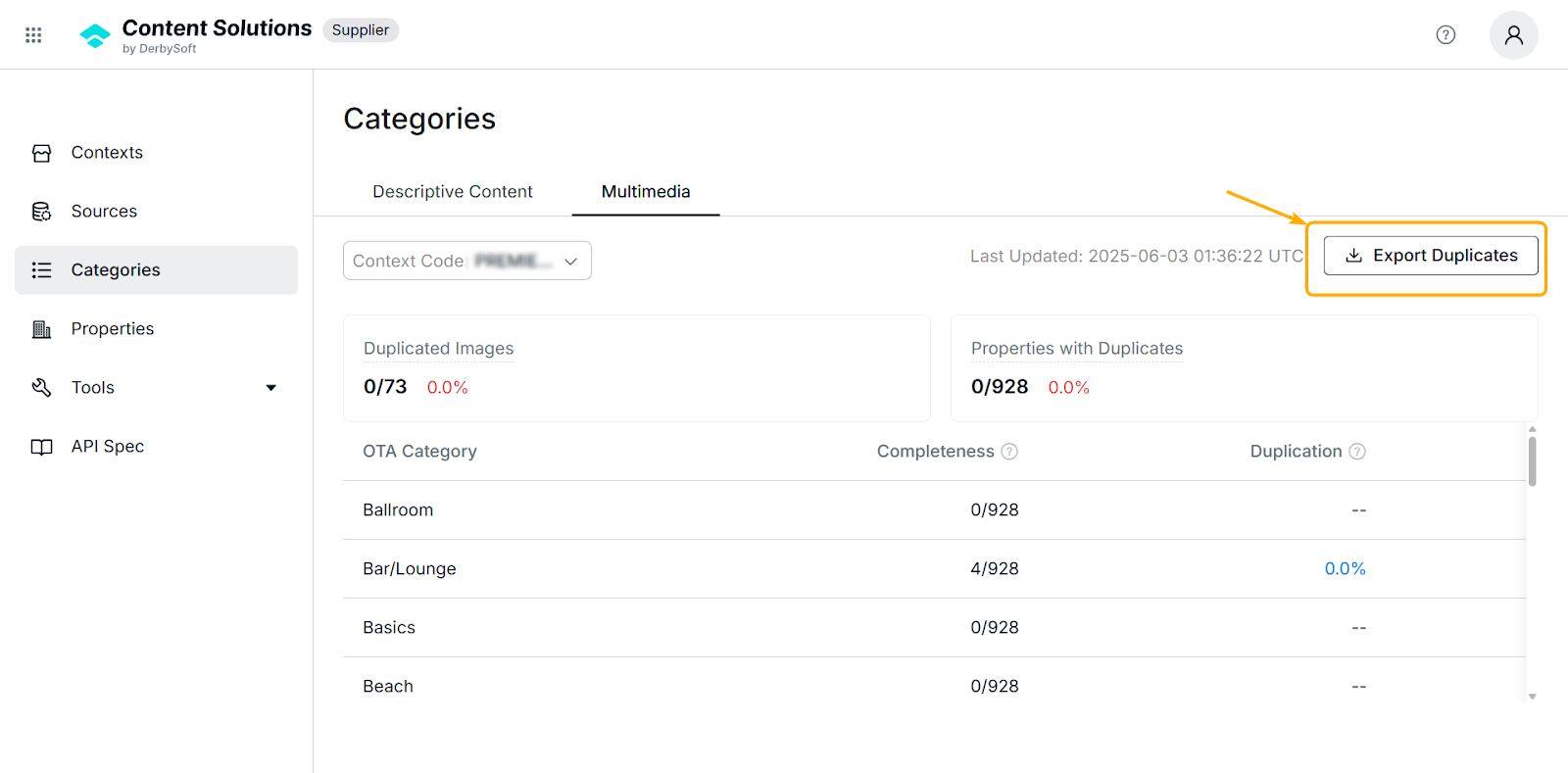
- Users can view details of duplicated images
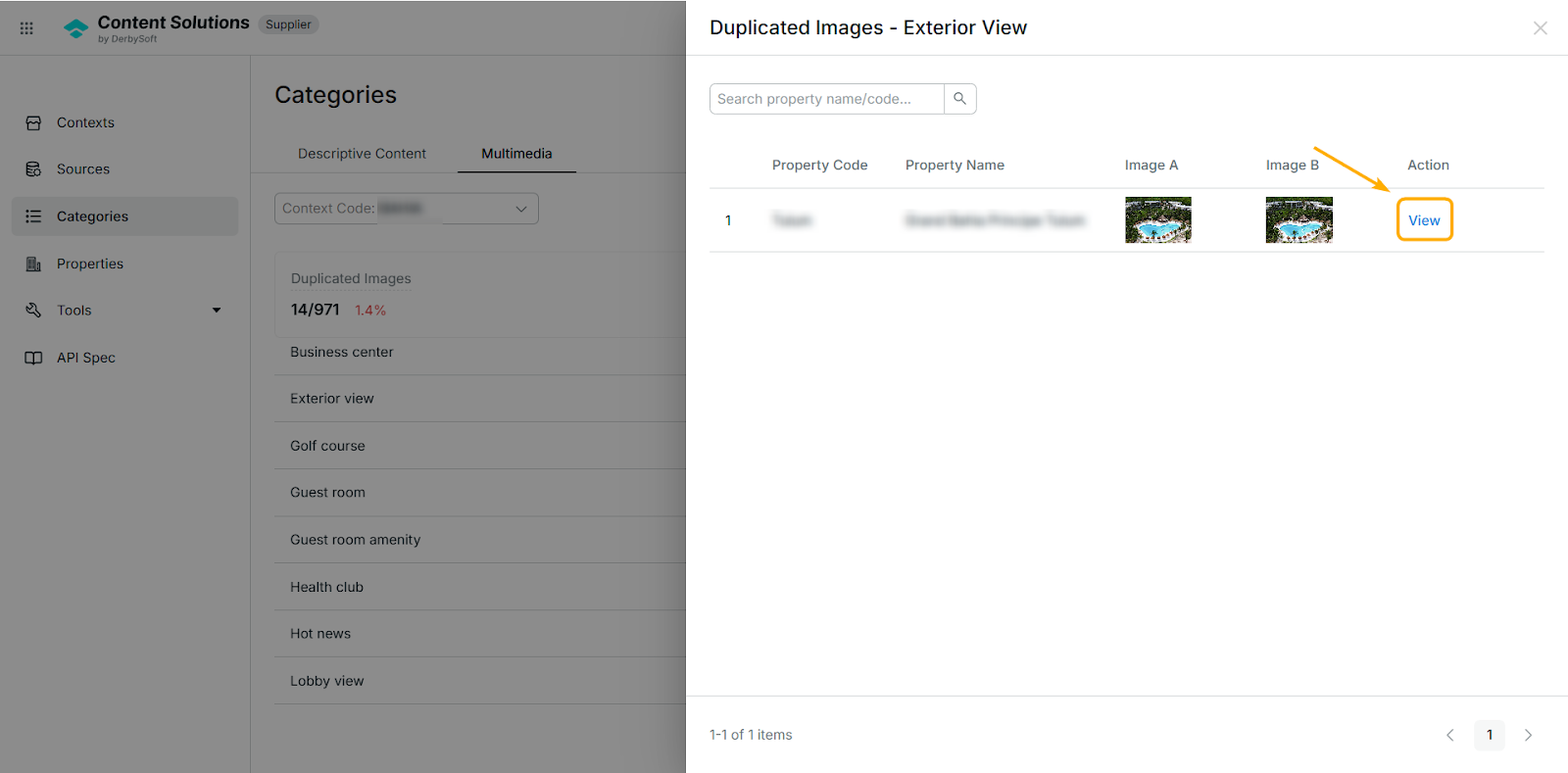
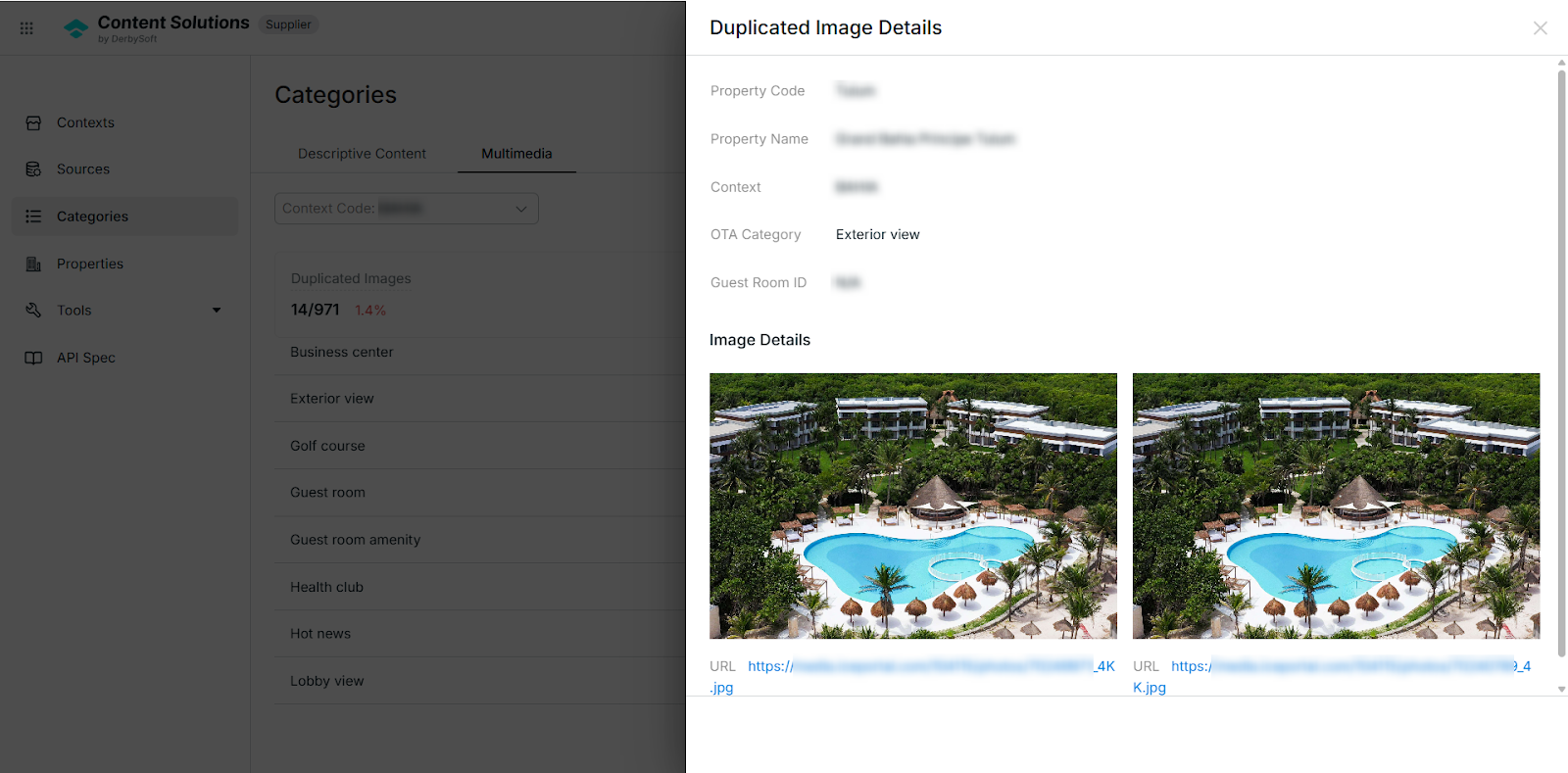
On Categories > Multimedia page, users can find the duplication rate and clicking one rate will show the list of duplicated images. Select View in the Action column to access details.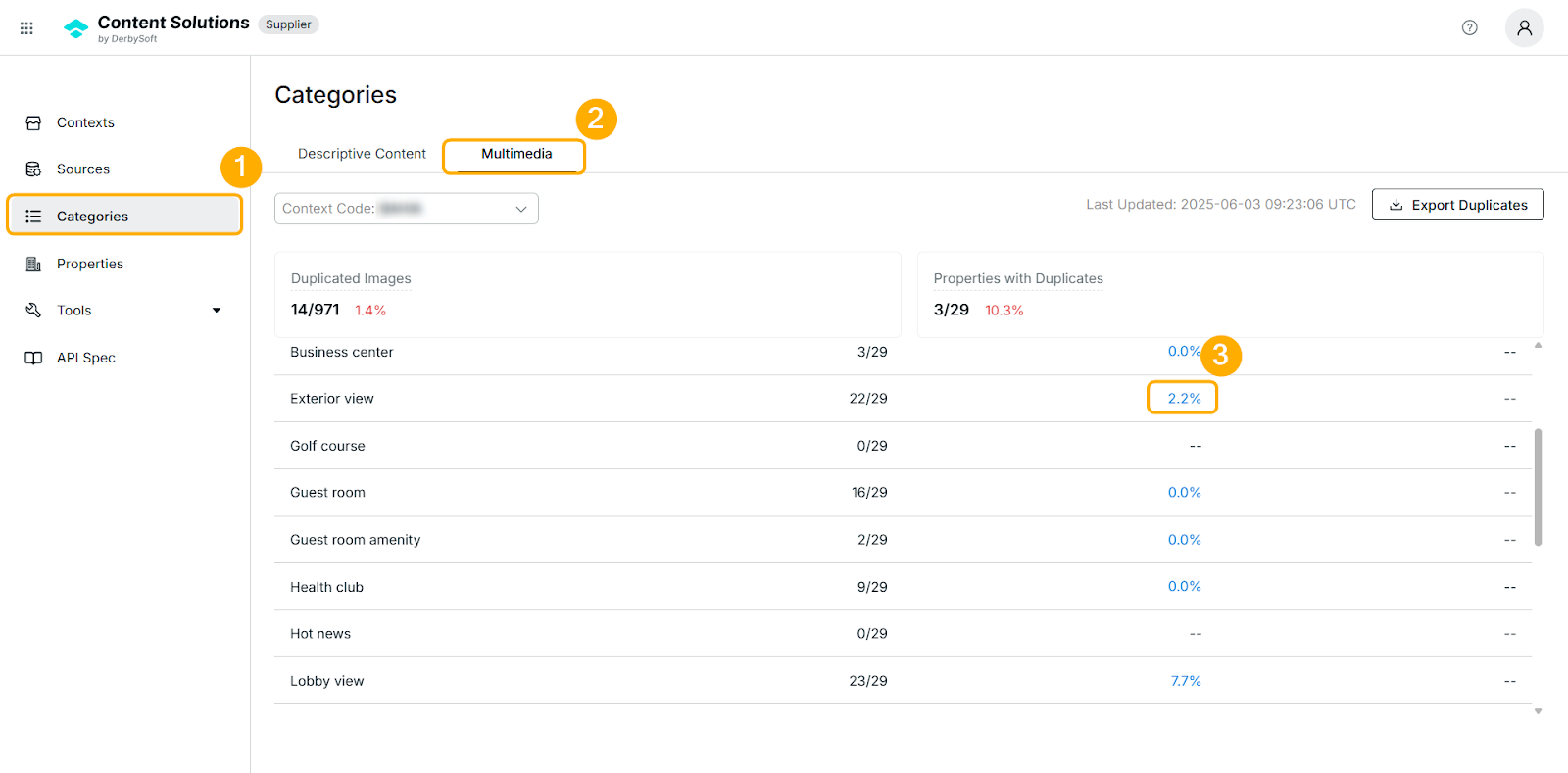
Tips:
If you'd like to learn more about quality score and duplicated image, please refer to our Descriptive Content Quality Score and Multimedia Duplicated Image.
We would love to hear from you!
We are constantly working on improving your experience with Content Solutions, creating the best place for content management, and providing clients with the necessary tools for easy management.
Want to help us make it better? Tap on the Contact Us button to tell us what you'd like to see next.

Did you find it helpful? Yes No
Send feedbackSorry we couldn't be helpful. Help us improve this article with your feedback.